Workforce Engagement Management Software
Contact Center Intelligence Built for Humans
Intelligent, effortless experiences.
Loved by agents. Unforgettable for customers.



Trusted by global brands






AI-Driven Business Outcomes
Trusted Tools That Deliver
With intelligence built into its very core, Calabrio ONE delivers complete clarity, full control, and ROI you can’t ignore.

































AI-Driven Empowerment
Innovation That Enhances Human Connection
We don’t tack AI onto our solutions. We’ve built it into the core of Calabrio ONE, equipping teams with intelligence and automation where they need them most—to fuel smarter decisions and better outcomes, one interaction at a time.


Complete Workforce Performance Suite
Designed for CX Impact. Loved by Teams.
Calabrio ONE combines the industry’s most powerful WEM solutions into one unified platform that’s easy to adopt and even easier to love, simplifying daily tasks for agents and leaders alike.





Be there for your customers without stretching your agents thin, with ultra-precise, skills-based forecasting.
Do in 6 clicks what takes other platforms hundreds. Set schedules that save millions and keep agents satisfied.
Use AI to evaluate 100% of interactions in seconds. Pinpoint critical coaching moments automatically and accelerate human impact.
Motivate your employees and accelerate improvement with a dedicated agent portal for goals, feedback, scheduling, and more.
Offer self-service that actually solves issues and saves time, with unprecedented visibility into bot performance.

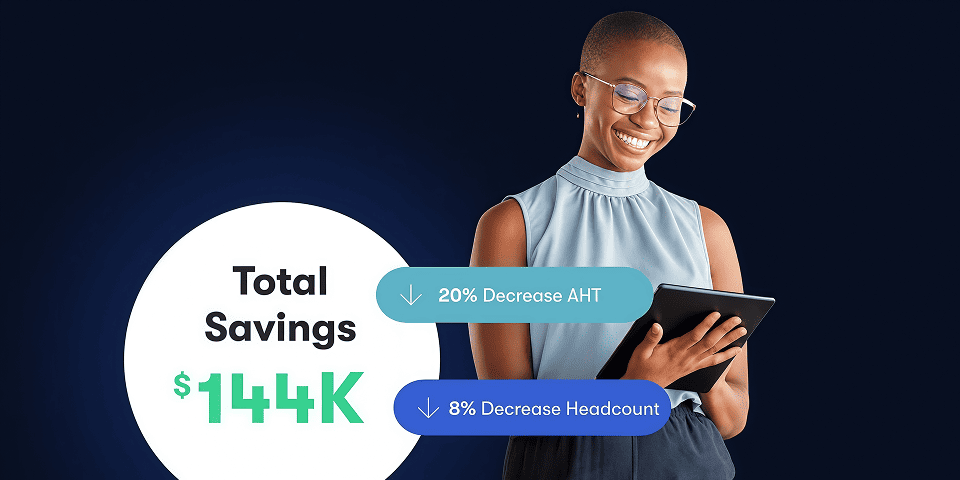
Case Studies
A Trusted Ally to Brands That Empower Employees and Maximize Performance
Explore how Calabrio helps leading brands overcome challenges and unlock competitive advantages.







Why Calabrio
Trusted, AI-Powered Intelligence That Enriches and Understands Human Interactions
Only Calabrio ONE unites AI-driven workforce optimization, conversation intelligence, and agent engagement into a fully integrated suite that adapts to your unique needs. Just ask our customers.
Calabrio ONE


NiCE WFM

Aspect Workforce

Tailored Solutions
Deploy Purpose-Built Solutions Customized to Meet Your Contact Center’s Needs
Calabrio’s AI-powered workforce engagement software helps contact centers of all sizes, and in an array of industries, deliver seamless experiences—no matter where their agents and customers are.





















Explore our expansive network of partnerships and platform integrations
The Calabrio partner community includes hundreds of trusted companies from around the world.